Looking to learn PID controllers?
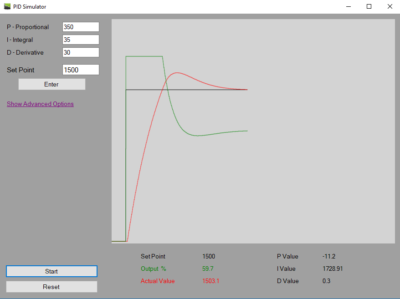
Explore PID control in real time with the PID Simulator app for Windows. Adjust tuning values, test different scenarios, and observe simulated loop responses through an interactive simulation environment.
What is a PID Simulator?
The PID Simulator app from the Microsoft Store provides a user-friendly way to explore PID control loop concepts through interactive simulation. Users can adjust tuning values, test different scenarios, and observe simulated loop responses in real time.
Features
Basic Settings
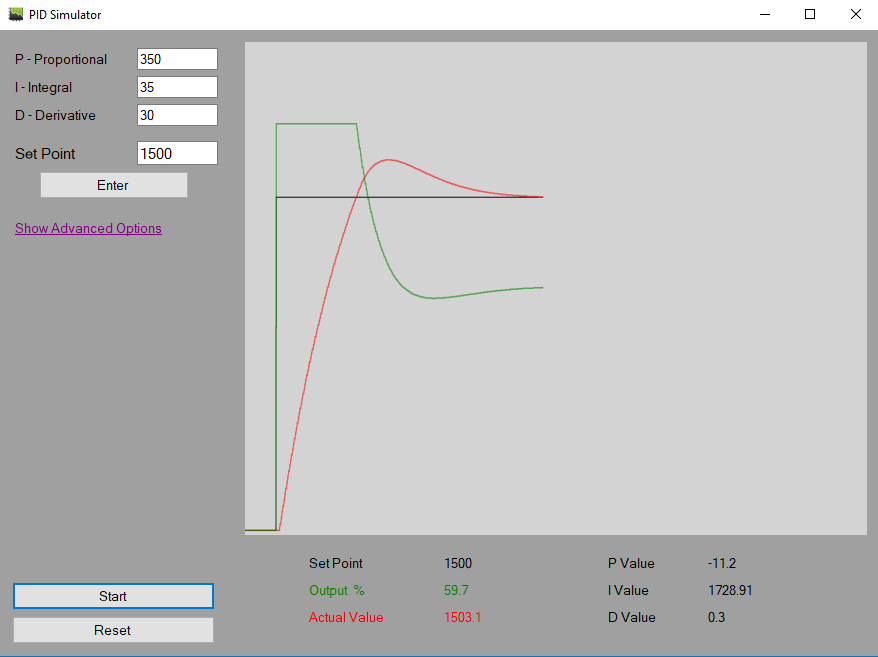
Out of the box, PID Simulator is ready to use. Simply press the [Enter] button to start the simulation environment. You can modify the Proportional, Integral, and Derivative settings dynamically and see how the simulated loop responds.
Advanced Settings
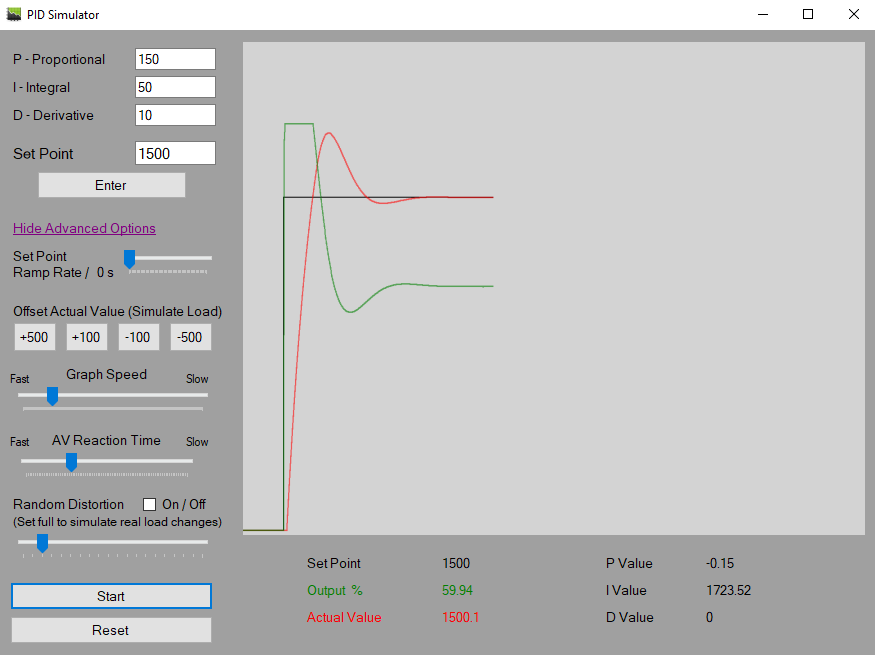
Beyond the basics, PID Simulator provides a variety of advanced settings that allow users to customize the simulation environment. By adjusting these settings, users can create different simulated response behaviours, such as faster or slower process reactions, to observe how PID tuning changes affect the simulated loop.
Set Point Ramp Rate
Adjusting the Set Point Ramp Rate option in PID Simulator changes how quickly the simulated set point increases or decreases. This can be useful for observing how gradual set point changes affect the simulated loop response compared to an immediate set point change.
Offset Actual Value
Offsetting the actual value is a useful feature in PID Simulator that creates a simulated load-step effect. By offsetting the value, users can observe how the simulated loop responds and compare the effect of different PID tuning adjustments.
Graph Speed
The Graph Speed option in PID Simulator allows users to slow down the simulation display. This makes it easier to observe how changes to the Proportional, Integral, and Derivative values affect the simulated loop response.
AV Reaction Time
One of the most useful advanced options in PID Simulator is the ability to adjust the reaction time. Modifying this setting allows users to create different simulated response behaviours and observe how faster or slower reactions affect the simulated loop.
For example, a faster reaction time can be used to create a simulated process that responds quickly to output changes, while a slower reaction time can be used to create a simulated process with more delay before the response is visible. A reaction time set somewhere in the middle can be useful for experimenting with moderate simulated response behaviour and comparing how different tuning adjustments affect the simulated loop.
Random Distortion
Another useful feature in PID Simulator is the Random Distortion setting. When enabled, this setting adds random variation to the simulated loop, allowing users to observe how different levels of disturbance affect the simulated response.
A low setting introduces minor simulated variation, while higher settings create larger simulated disturbances. This can be useful for experimenting with how different PID tuning adjustments respond to changing simulated conditions.
Conclusion
Gain settings used in PID Simulator are part of the simulated environment and may not match the settings, values, or behaviour of any real-world controller. The app is intended to help users explore PID control concepts and observe simulated loop responses through practice-based scenarios.
Check out these great posts to learn more about PID control loops!
And
Download the PID Simulator from the Microsoft Store
Disclaimer
By accessing, downloading, installing, viewing, or using this application, website, videos, or related content, you acknowledge and agree to the full Disclaimer found at https://pidexplained.com/disclaimer/. This application, website, videos, and related content are provided for general informational and simulation practice purposes only. All settings, values, examples, outputs, demonstrations, and scenarios are simulated examples only, may not be accurate, complete, current, or error-free, and must not be copied, transferred, relied on, or applied to any actual controller, device, equipment, system, or process. This content is not OEM training, real-world tuning guidance, commissioning guidance, field instruction, or a substitute for qualified procedures, OEM documentation, training, or applicable requirements; use of this content does not qualify any person to tune, configure, adjust, or operate any real-world controller, device, equipment, system, or process, and any such work should only be performed by a properly qualified person.